Video & audio toolkit · Android

Every video and audio tool, in one app.

Pull a soundtrack out of a clip, trim to the second, merge takes, convert formats, shrink a file for sharing. Fifteen focused tools, no clutter.

Works offline No watermark No sign-up
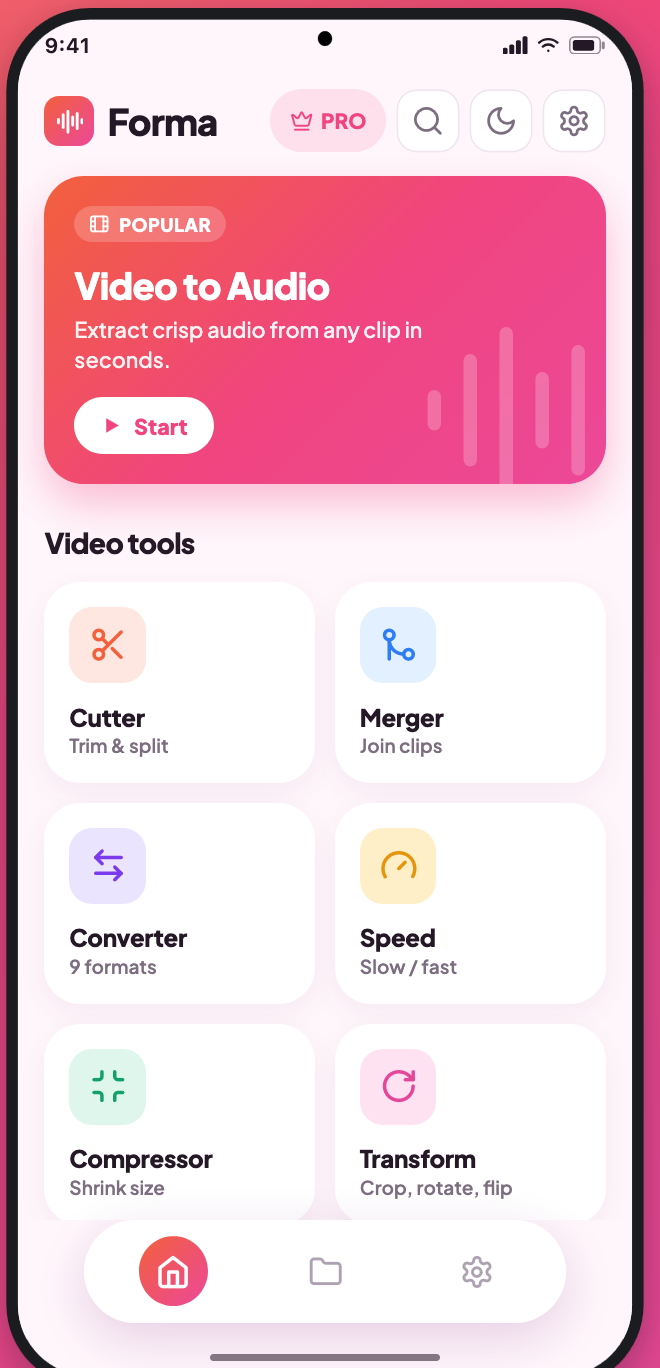
Forma home screen showing the video and audio tool grid
MP3 · 320 kbpsExported in 3.1s
On-deviceNothing uploaded
15focused tools
16export formats
320 kbpsmax audio quality
0files leave your phone
The toolkit

One app instead of nine.

Each tool does one job properly — real controls, honest previews, and a file size estimate before you commit.

Most used

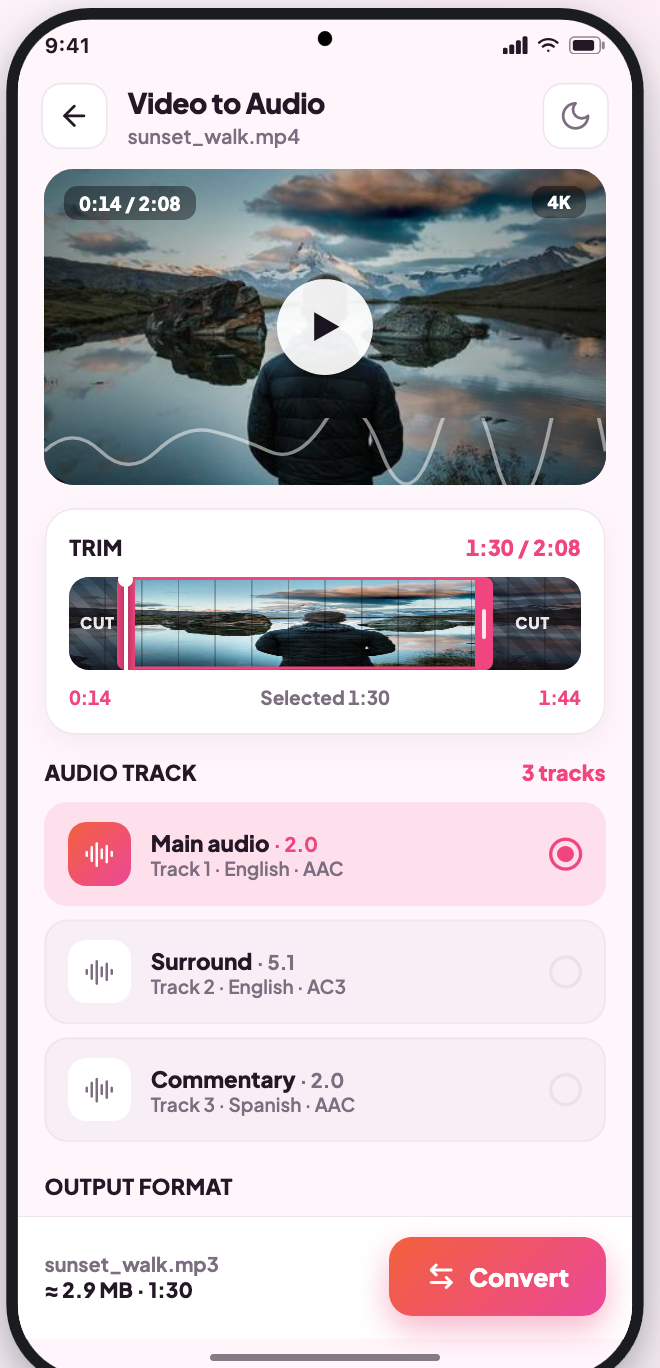
Video to Audio

Choose any audio track in the file — main, surround or commentary — trim the range you need, then export at up to 320 kbps.

MP3AACWAVFLACOGGM4AOPUS
Video

Seven video tools

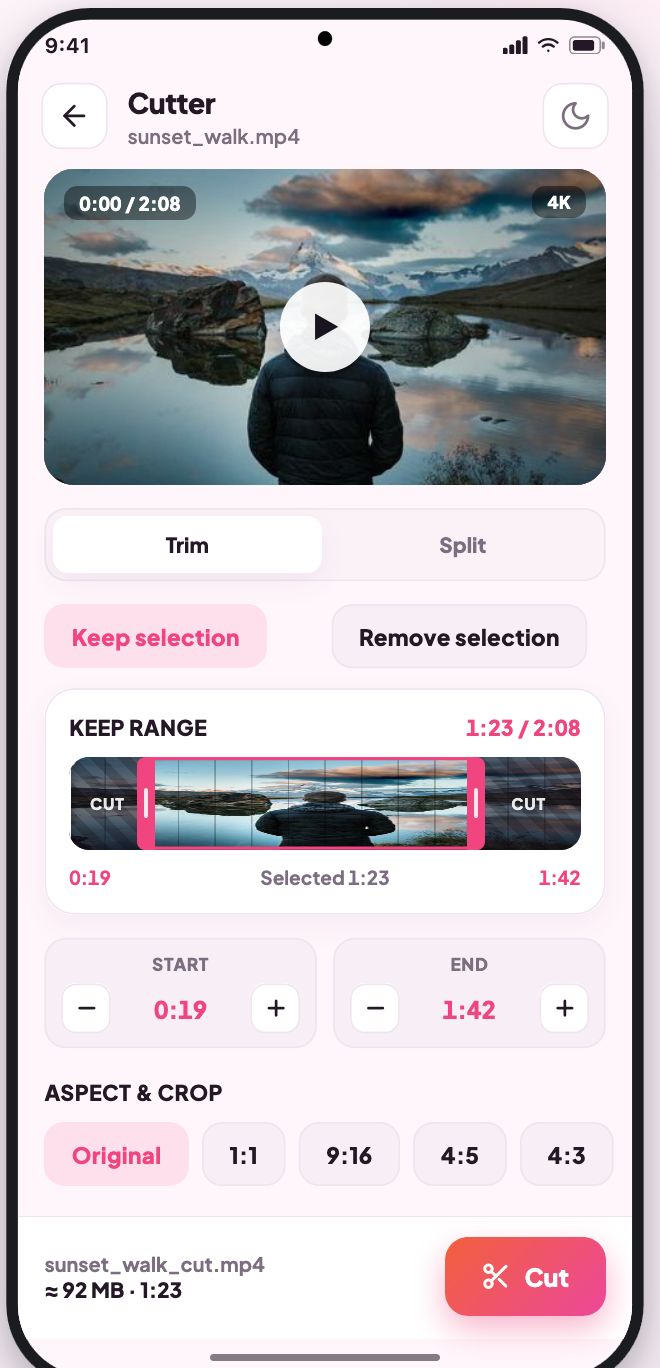
CutterTrim & split
MergerJoin clips
ConverterMP4 · MKV · MOV · WEBM
SpeedSlow / fast
CompressorHit a target size
TransformCrop, rotate, flip
GIF MakerAny clip into a loop
Audio

Seven audio tools

CutterTrim & split
MergerJoin tracks
Converter7 audio formats
SpeedTempo
Volume BoosterLouder & even
Voice IsolateLift speech from noise
Ringtone MakerSet as tone
Video to Audio

Pick the track. Trim it. Export it.

Most extractors grab whatever track is first. Forma lists every one in the file and lets you choose before it starts.

  • Main, surround and commentary tracks, with language and codec
  • Frame-accurate trim handles on a real filmstrip
  • Output name, size and duration shown before you convert
Video to Audio screen with track picker and trim range
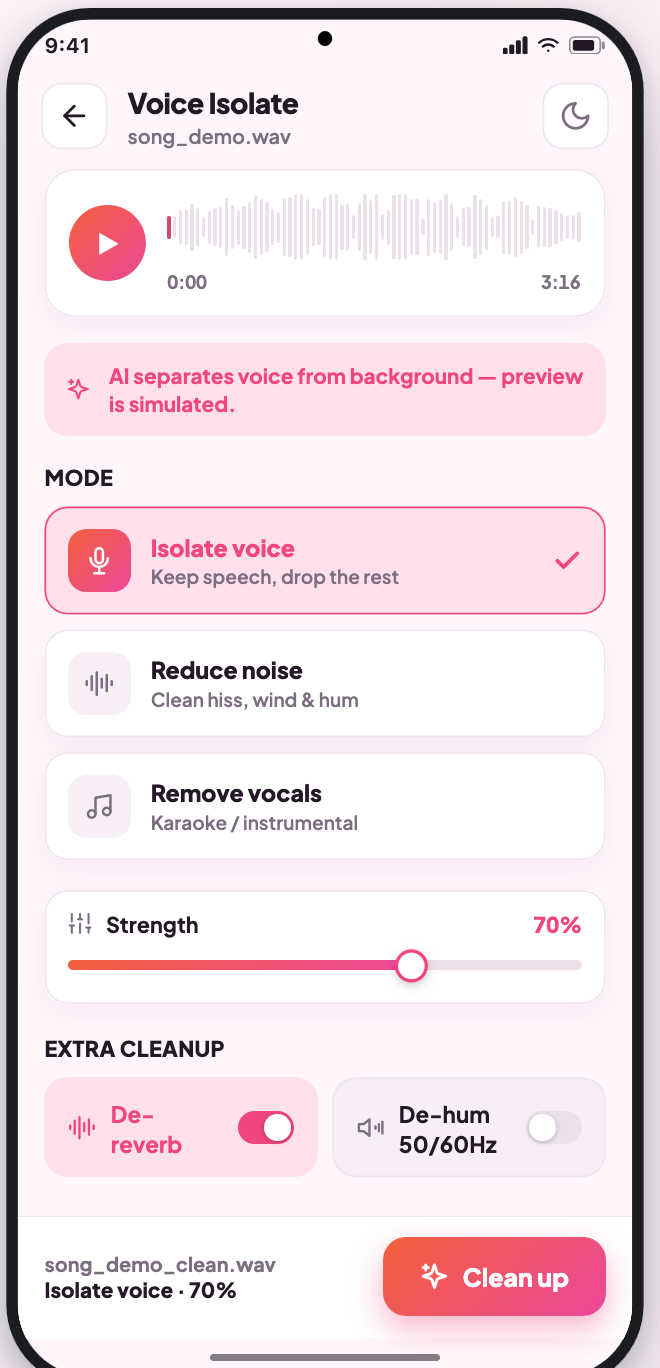
Voice Isolate

Clean up a recording in one tap.

Traffic, room hum, a fan in the corner — lift the voice out and keep the take you already have.

  • Preview before and after on the same waveform
  • Strength control, so speech never turns robotic
  • Runs on the phone — interviews stay private
Voice Isolate screen with waveform and strength control
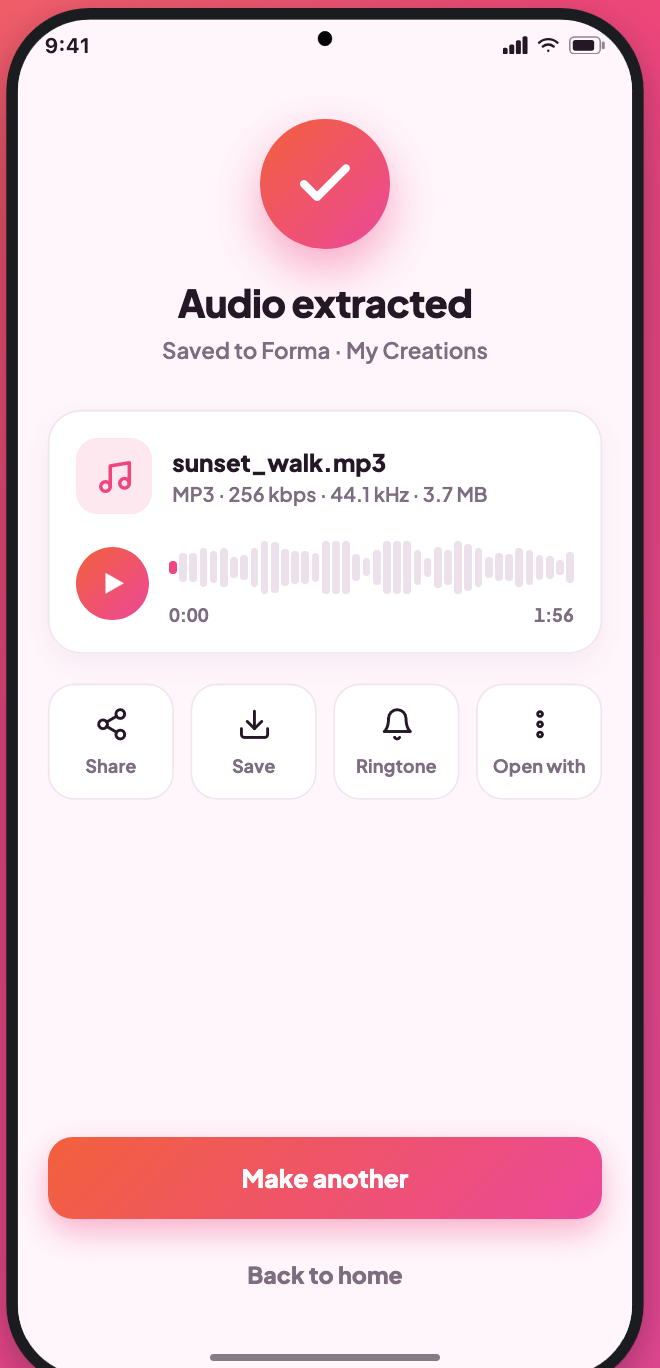
My Creations

Every export, right where you left it.

Finished files land in one library — play them, rename them, share them, or feed them straight back into another tool.

  • Built-in player for video and audio results
  • Filter by tool, sort by date or size
  • Light and dark themes, six accent palettes
Export finished screen with save and share actions
Privacy

Your files never leave the phone.

Forma does all its work on-device. There is no upload queue, no account, no analytics on what you convert. Turn on airplane mode and everything still works exactly the same.

No uploadsProcessing happens locally. Nothing is sent to a server, ever.
No accountOpen the app and start. No email, no sign-in wall.
No watermarkFree exports are clean and unlimited in length.
Scoped accessMedia permission only, asked once, revocable any time.
Screenshots

What it looks like.

Home screenVideo to AudioCutterVoice IsolateExport finished
Pricing

Free is genuinely usable.

No trial timer, no length cap, no watermark. Premium is for people who export every day.

Free
£0 / forever

Every tool, unlocked.

  • All 15 tools, no length limits
  • MP3, AAC, OGG up to 192 kbps
  • No watermark on any export
  • Occasional sponsored placement
One purchase Premium
£4.99 / once

No subscription. Keeps working offline.

  • Ad-free, everywhere
  • Lossless WAV / FLAC and 320 kbps
  • Batch processing across files
  • Priority conversion queue
FAQ

Before you download.

Does it work without internet?

Yes. Every tool runs on the device, so conversion, trimming and isolation all work in airplane mode.

Is there a watermark or a length cap?

No, and no. Free exports are clean and as long as the source file.

Which formats can it export?

Video: MP4, MKV, MOV, WEBM, GIF and more. Audio: MP3, AAC, WAV, FLAC, OGG, M4A and OPUS.

What happens to my files?

They stay in your storage. Forma asks for media access once and never copies anything off the phone.

Can I set an export as a ringtone?

Yes — Ringtone Maker trims the section you want and sets it in one tap.

Is Premium a subscription?

No. It is a single purchase that stays unlocked on your Play account.
Fifteen tools. One app. Nothing uploaded.

Free on Android, no account needed. Android 8.0 and up · 24 MB.

Get it on Google Play